

Vision Vapros iBox 25W 1500mah Variable Voltage and Wattage Vaping Battery
Features:
Date and time adjustment
External output control
Resistance protection control
Cut-off time control (8-18s)
Three controlling mechanisms
VV/VW two modes
Adjustable voltage and wattage
Power bank function
Size: 94.5mmx54mm
Voltage: 3V - 6V
Wattage: 3W - 25W
Resistance Range: 0.5-1.8ohm
Battery Capacity: 1500mAh
1 iBox Mod
1 Wall Charger
1 Micro USB Cable
1 Warranty Card
1 User Manual

Turn on/off: when the iBox is off, pressing the round center button for 2 seconds will enable it. After it's turned on, also press the center button for 2 seconds, it will enter the management console, which shows 6 icons. You can chooseeach icon by rotating the center button;To turn it off, choose the first sub-menu and click the enter button once.
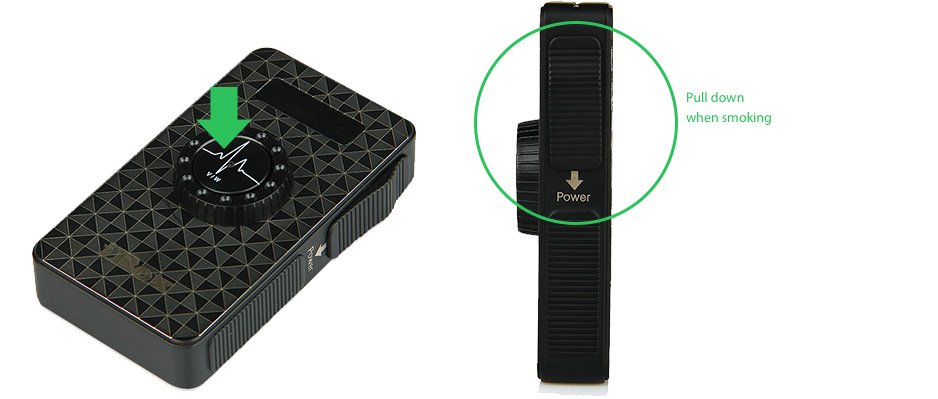
VV/VW mode exchange: these two modes can be easily changed by clicking the center button once.
Time management:use the rotating wheel to choose the second icon and click the center button to enter.Then you can reset time through the rotating wheel and click enter button to get to next section.
External output control: use the rotating wheel to choose the third icon and click the center button to enter. Once clicked, it goes back to the main interface with a lighting sign on the main interface. To be deactivated, repeat the same procedure.
Resistance protection control:use the rotating wheel to choose the fourth icon and click the center button to enter. The range of adjustment is between 0.5ohm to 1.8ohm. Once set, with any carto having lower ohm value than the setted value, the device will report "RESISTANCE PROTECTION" on main screen and stop the power button to work.
Cut-off time control:use the rotating wheel to choose the fifth icon and click the center button to enter.The range of adjustment if between 8 - 18 seconds. Once set, at the configured length of power output (as indicated by the running clock when push the sliding button at side), the device will cut off power output for safety purpose.
Exit:use the rotating wheel to choose the sixth icon and click the center button to enter.It exits the management console and goes back to the main interface.
Charging the device: charge can be done by only use the USB cable, or with both the USB cable and the AC adapter.